


Wifi Smart Sprinkler Timer Garden Hose Watering System
Wifi Smart Sprinkler Timer Garden Hose Watering System
Nie można załadować gotowości do odbioru
- American express payment method
- Apple pay payment method
- Diners club payment method
- Discover payment method
- Google pay payment method
- Jcb payment method
- Master payment method
- Paypal payment method
- Venmo payment method
- Visa payment method

Product compliant, it works well from the Smartlife application in manual or programmed watering. Simple to install and configure.
How To Use
How To Use
Setting up a WiFi Water Timer with the Smart Life app is a straightforward process. Below is a step-by-step guide to help you get your irrigation system online.
1. Preparation
- Install Batteries: Open the battery compartment of the water timer and insert the required batteries
- Download the App: Download the Smart Life app from the Apple App Store or Google Play Store. Create an account or log in.
- Check WiFi: Ensure your smartphone is connected to a 2.4GHz WiFi network (most smart devices do not support 5GHz). Turn on your Bluetooth and Location services.
2. Put the Timer in Pairing Mode
- Press and hold the main button on the water timer for about 5–10 seconds.
- The LED indicator light should start flashing rapidly. This indicates the device is ready to pair.
3. Add Device in Smart Life
- Open the Smart Life app and tap the "+" icon in the top right corner.
- Select "Add Device."
- Auto Scan: Often, the app will automatically detect the timer via Bluetooth. If a pop-up appears saying "Devices to be added," tap "Add."
- Manual Add: If it doesn't appear, go to "Industry & Agriculture" or "Outdoor Garden" and select "Water Timer (WiFi)" or "Irrigation Hub."
- Enter your WiFi password when prompted.
4. Configuration
- The app will begin searching for the device. Once found, tap "Done."
- You can now rename your timer (e.g., "Front Yard Garden").
5. Setting a Watering Schedule
- Tap on the device in your app dashboard.
- Go to "Schedule" or "Plan."
- Set your Start Time, Duration (how many minutes to water), and Repeat (which days of the week).
- Save the settings.
Shipping information
Shipping information
Please allow 2-4 business days for us to process and ship your order.
Estimated Arrival: Your order is expected to arrive within 7-10 business days after shipment.
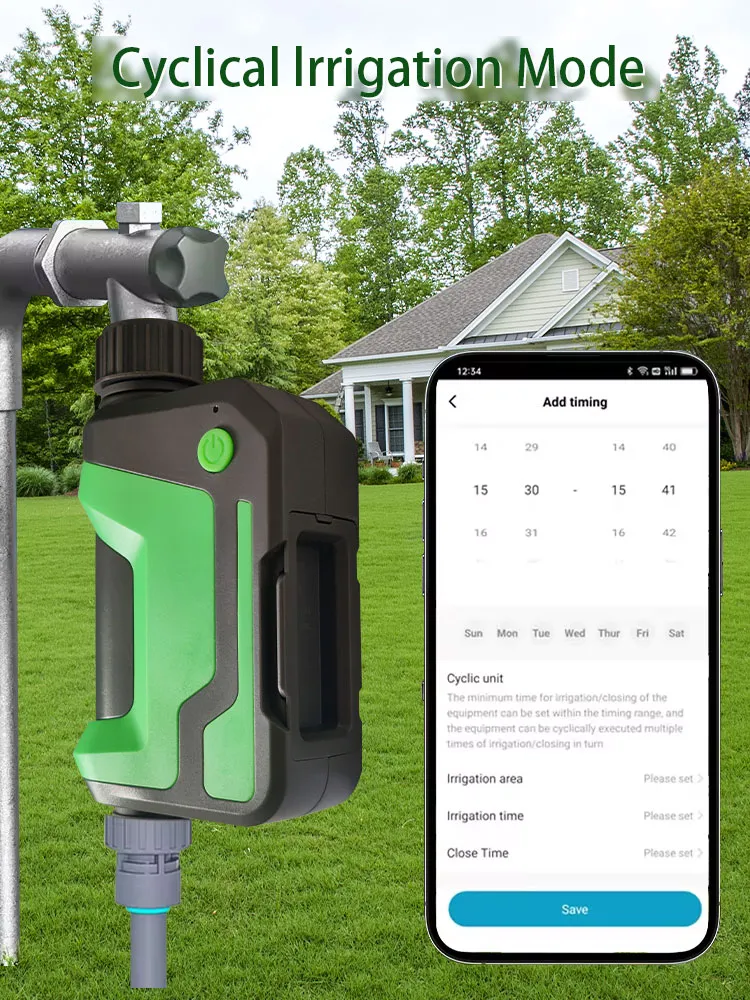
Smart Watering
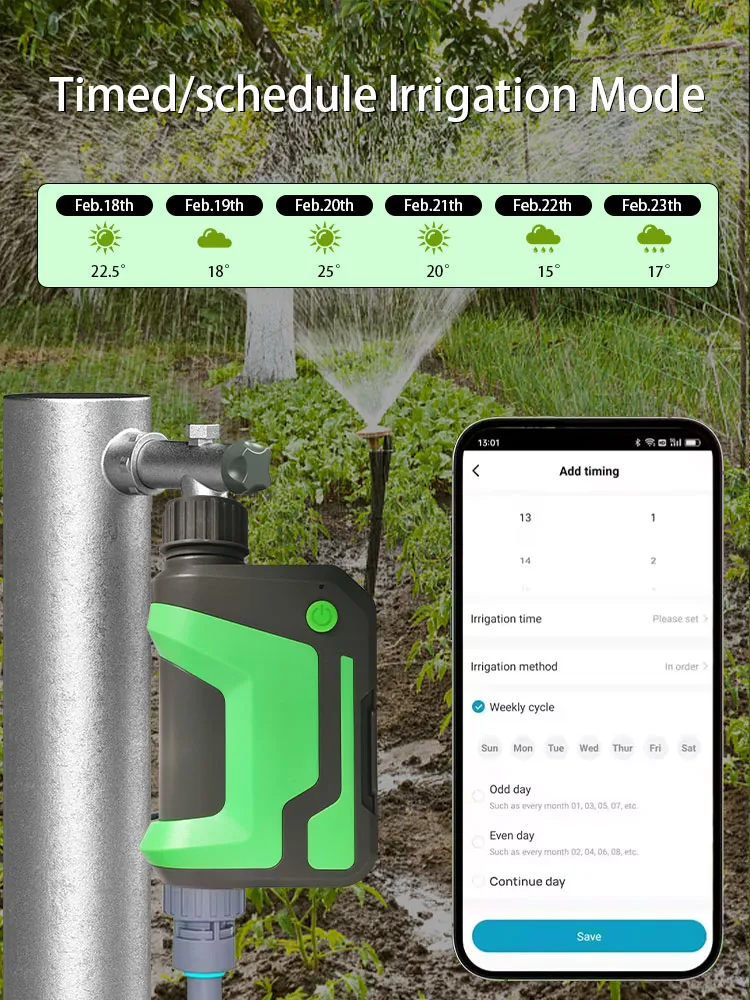
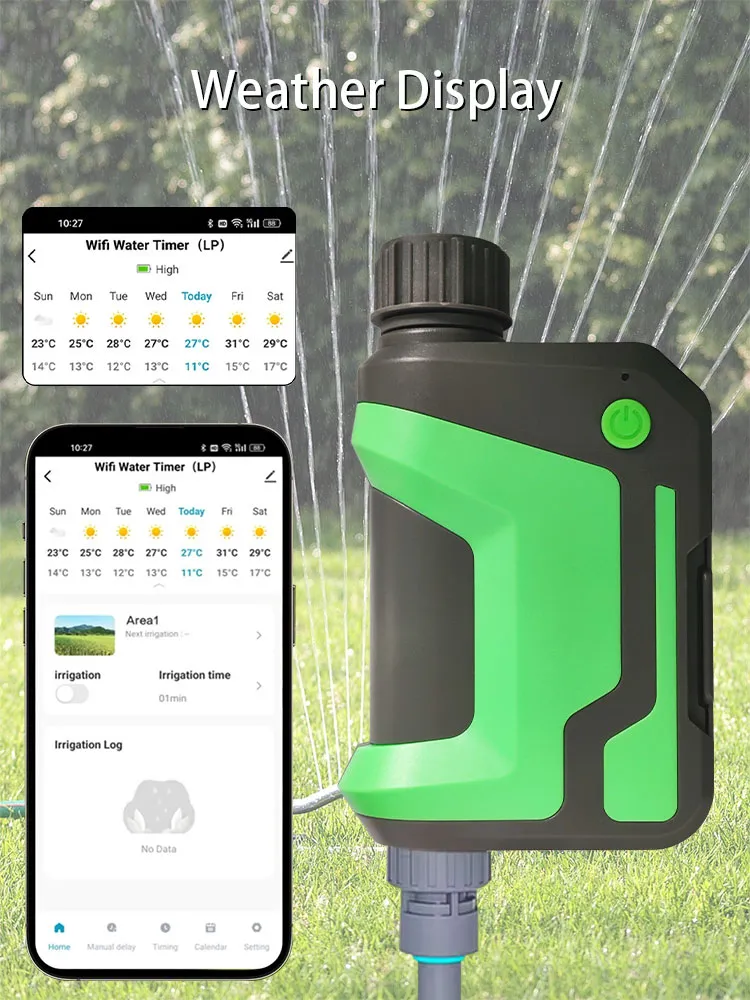
The WiFi watering timer will automatically skip watering on rainy and snowy days based on the latest local forecasts. You can also manually turn on a 24, 48 or 72 hour rain delay. It will help you make the most of nature's resources and prevent plants from being over-watered or forgetting to be watered.
Time-Based Auto Watering
Up to 3 watering plans, each with customizable start time, duration(1min-11h59min) and watering frequency(Mon-Sun). Each plan has 2 watering modes: Irrigation Mode & Mist Mode. In irrigation mode, it runs uninterrupted during watering. In mist mode, the timer will water intermittently, run for 0-59secs, and run again after the interval of 1sec-15min59secs, which can effectively use water and avoid waste.
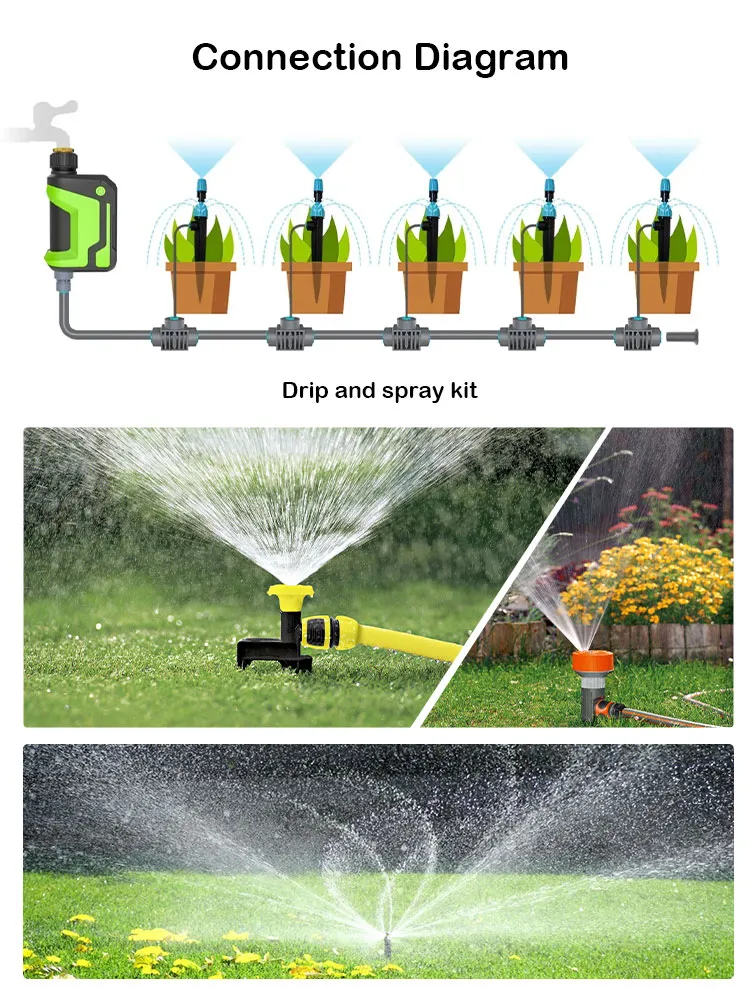
Track the Flow, Save Water
The WiFi watering timer has a built-in water flow meter which measures in gallon or liter and records water usage for nearly 10 days in a table, helping you keep track water consumption, adjust the watering plan and save your water bills.
Easy To Use App Control
Easily connect the 1-Zone WiFi Sprinkler Timer to 2.4Ghz WiFi, then you can program your watering schedule through the Smart Life APP anytime, anywhere. With the intuitive APP UI, you will find programming so simple and straightforward. (For 2.4Ghz WiFi Only)
Specification:
(1)Material: ABS
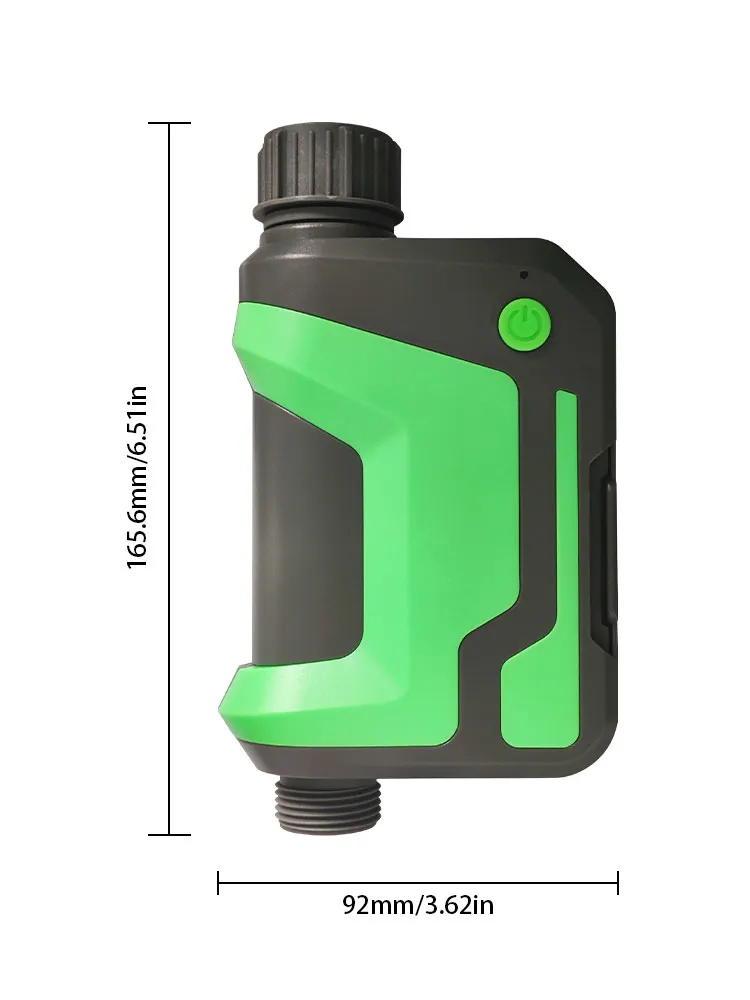
(2)Size: 6 x 6 x 1.5 cm
(3)Weight: 400g
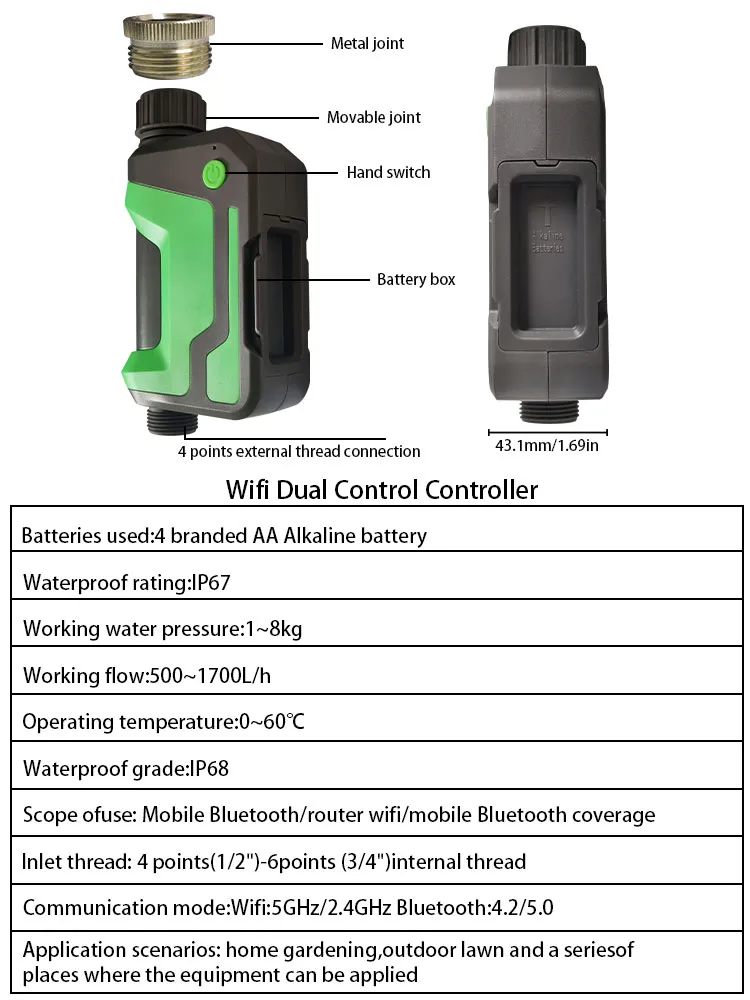
(4)Working Water Pressure: 1-8 KG
(5)Working Flow: 500-1700L/H
(6)Temperature: 0-60℃
(7)Waterproof: IP67
(8)Communication Method: 2.4GHZ
Package Include:
Wifi Smart Sprinkler Timer Garden Hose Watering System


Why Our Brand is Better:
Auto Weather Skip: Stops watering on rainy days.
Custom Schedules: 3 plans with Irrigation & Mist modes.
Water Tracking: Built-in flow meter saves water.
App Control: Manage anywhere via Smart Life app.
Durable & Waterproof: Works in all weather.
Rain Delay: Delay watering up to 72 hours.
Smarter, eco-friendly watering that saves time, money, and water!

|
Others | |
|---|---|---|
| Remote setup & control | ||
| Weather‑based watering | ||
| Personalized watering schedules | ||
| Efficient watering options | ||
| Tracks real water usage | ||
| Easy and reliable connection | ||
| Weather‑proof design |
★★★ Loved by 5000+ Customers ★★★
Frequently Asked Questions
How does the WiFi watering timer work?
How does the WiFi watering timer work?
The WiFi watering timer automatically schedules watering based on time, weather forecasts, and manual inputs. It skips watering on rainy or snowy days using local forecasts and allows you to set a manual delay for 24, 48, or 72 hours. You can also program up to 3 watering plans with customized start times, durations, and watering frequency.
Can I control the watering timer remotely?
Can I control the watering timer remotely?
Yes, the timer can be controlled remotely through the Smart Life app once connected to a 2.4 GHz WiFi network. You can set schedules, adjust watering plans, and monitor usage from anywhere.
What are the watering modes available?
What are the watering modes available?
The watering timer has two modes:
Irrigation Mode: Runs continuously during watering.
Mist Mode: Waters intermittently, with a customizable duration of 0-59 seconds, followed by a 1-second to 15-minute interval before watering again.
Does the timer save water?
Does the timer save water?
Yes, the timer is designed to save water by tracking water usage through a built-in flow meter. It records water usage for nearly 10 days, allowing you to monitor and adjust your watering schedule to optimize water consumption and reduce water bills.
What is the WiFi connectivity requirement?
What is the WiFi connectivity requirement?
The device connects to a 2.4 GHz WiFi network for control through the Smart Life app. It does not support 5 GHz networks.
What is the working pressure and flow rate?
What is the working pressure and flow rate?
Working Water Pressure: 1-8 KG
Working Flow: 500-1700L/H
Is the product waterproof?
Is the product waterproof?
Yes, the WiFi watering timer has an IP67 waterproof rating, making it suitable for outdoor use.
How do I install the WiFi watering timer?
How do I install the WiFi watering timer?
The installation process is simple. Attach the timer to your sprinkler system, connect it to your 2.4 GHz WiFi network, and use the Smart Life app to set up your watering schedule.